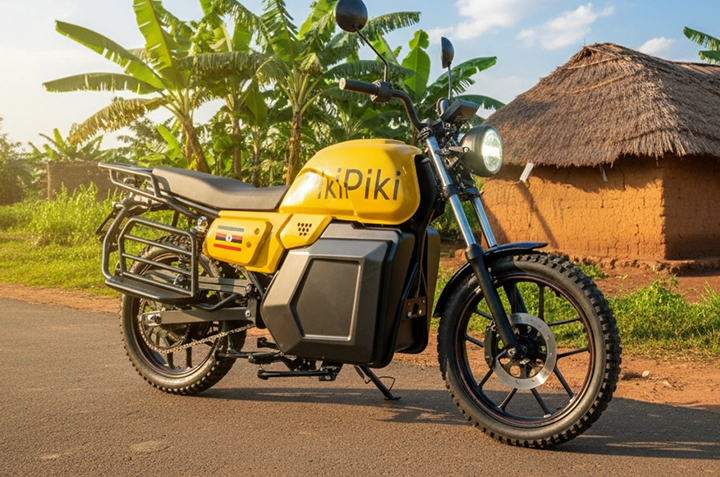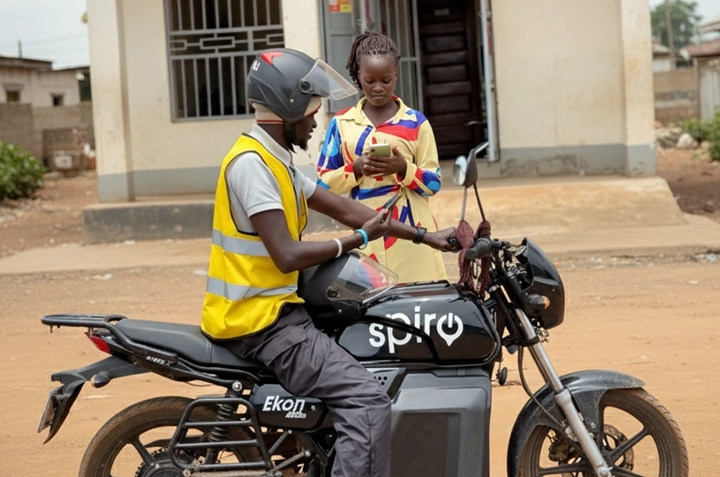
Kampala’s sun can be brutal, right? Waiting for a taxi or boda-boda in that heat is no fun. Luckily, there’s a faster, often cooler, and more convenient way to get around: Pikipiki! This guide will show you how to book a Pikipiki ride using your mobile phone, pay with mobile money, and beat the heat.
Why Choose Pikipiki?
Before we dive into the how-to, let’s talk about why Pikipiki is becoming so popular in Uganda:
- Speed: Pikipikis can navigate traffic much faster than cars, especially during rush hour. Think of those jams around Lugogo or Wandegeya!
- Convenience: Book a ride from anywhere with your phone. No more hailing down boda-bodas on the street.
- Affordability: Pikipiki rides are often more affordable than taxis, especially for short distances.
- Availability: There are Pikipiki riders available in most parts of Kampala and beyond.
- Safety: Many Pikipiki services prioritize safety by providing helmets and tracking rides.
Step-by-Step Guide to Booking a Pikipiki Ride
The exact steps might vary slightly depending on the Pikipiki service you’re using (like SafeBoda, Bolt Boda, or Uber Boda), but the general process is the same. We’ll use a common example applicable across most platforms.
1. Download and Install the App
First, head to the Google Play Store (for Android phones) or the Apple App Store (for iPhones). Search for the Pikipiki service you want to use (e.g., “SafeBoda,” “Bolt,” or “Uber”). Download and install the app.
2. Create an Account
Open the app and follow the instructions to create an account. You’ll usually need to provide your phone number and a password. You might also need to verify your phone number via SMS.
3. Enable Location Services
The app needs to know your location to find nearby riders. Make sure location services are enabled on your phone and that you’ve granted the app permission to access your location.
4. Set Your Pickup and Drop-off Locations
Use the app’s map to set your pickup location. The app will usually automatically detect your current location. Then, enter your desired drop-off location. You can search for an address or use the map to pinpoint the exact spot. For example, typing in “Makerere University Main Gate” or “Acacia Mall” will work.
5. Choose Your Payment Method
Most Pikipiki services in Uganda accept mobile money payments (like MTN Mobile Money and Airtel Money). You’ll need to add your mobile money details to the app. This usually involves linking your phone number and authorizing the app to deduct payment.
Alternatively, some services also allow you to pay with cash.
6. Request Your Ride
Once you’ve set your pickup and drop-off locations and chosen your payment method, you can request your ride. The app will show you the estimated fare and the estimated time of arrival (ETA) for a rider.
7. Confirm Your Ride and Wait for Your Rider
Review the details and confirm your ride. The app will then connect you with a nearby rider. You’ll see the rider’s name, photo, and bike registration number. The app will also show you the rider’s location on the map as they approach.
8. Enjoy Your Ride!
When your rider arrives, confirm their identity and hop on. Make sure you wear the helmet provided (safety first!). Enjoy your quick and comfortable ride!



Tips for a Smooth Pikipiki Experience
- Double-check the fare: Before confirming your ride, always double-check the estimated fare to avoid surprises.
- Communicate with your rider: If you have specific instructions or need to provide directions, use the app’s chat function to communicate with your rider.
- Rate your rider: After your ride, rate your rider. This helps maintain quality and ensures a good experience for everyone.
- Keep your phone charged: Ensure your phone has enough battery to complete the ride and make payment.
- Be aware of your surroundings: Even with a helmet, always be aware of traffic and potential hazards.
Mobile Money Payment: A Ugandan Staple
Mobile money is the lifeblood of many transactions in Uganda. Using it for Pikipiki rides is super convenient. Remember to always keep your mobile money PIN safe and never share it with anyone. When adding your mobile money account to the app, ensure you’re doing it on a secure network.
If you face any issues with mobile money payment, contact your mobile money provider’s customer support (MTN or Airtel) or the Pikipiki service’s customer support.
Beat the Heat and Get Moving!
So, there you have it! A simple guide to booking a Pikipiki ride in Uganda. Ditch the scorching sun and enjoy a faster, more comfortable way to get around Kampala and beyond. Download your preferred Pikipiki app today and experience the convenience for yourself.
Ready to try it out? Watch this video for a quick visual guide and then download your app of choice. Safe travels!