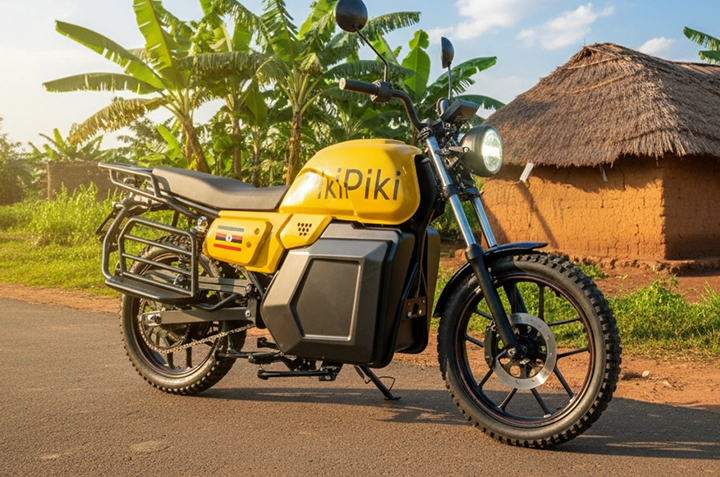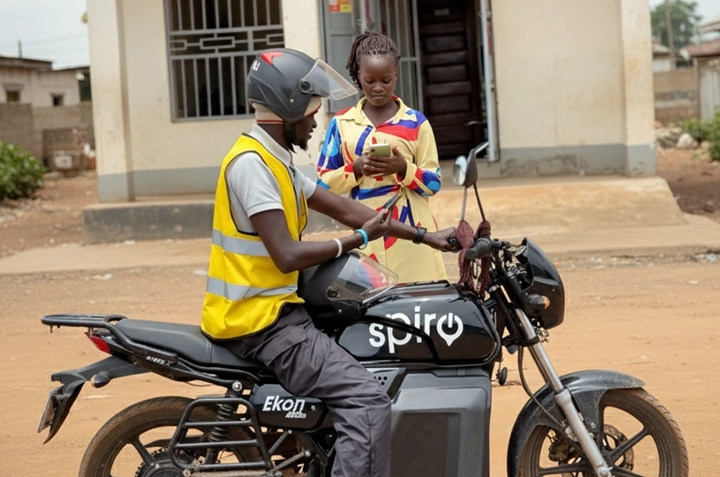
Exciting news, Gulu! PikiPiki, the ride-hailing app that’s making waves across Uganda, is now available in your city! This means easier, safer, and more convenient boda rides are just a tap away. Are you tired of haggling prices or worrying about unreliable boda drivers? PikiPiki offers a solution. This guide will walk you through everything you need to know to get started and ride smart with PikiPiki in Gulu.
What is PikiPiki and Why Should You Use It?
PikiPiki is a mobile app that connects you with vetted and trained boda boda drivers in your area. Think of it like Uber, but for boda bodas! It offers several advantages over traditional boda rides:
- Transparency: See the fare upfront before you book your ride. No more surprises!
- Safety: PikiPiki drivers are vetted and trained to prioritize your safety.
- Convenience: Request a ride from anywhere with your phone. No more walking to the stage.
- Reliability: Get connected to a driver quickly and easily.
- Payment Options: Pay easily with mobile money, a common and convenient option in Uganda.
In Gulu, where boda bodas are a primary mode of transport, PikiPiki brings a much-needed layer of safety and reliability. It’s especially useful for navigating the city center and reaching areas like Layibi or Pece Stadium.
Step-by-Step Guide to Using PikiPiki in Gulu
1. Download and Install the PikiPiki App
First things first, you’ll need to download the PikiPiki app. It’s available on both the Google Play Store (for Android users) and the Apple App Store (for iPhone users). Just search for “PikiPiki Uganda” and look for the official app. Once downloaded, tap “Install” and wait for the app to finish installing on your phone.
Make sure you have a stable internet connection (Wi-Fi or mobile data) for a smooth download.
2. Create Your Account
After installation, open the app. You’ll be prompted to create an account. You’ll typically need to provide your phone number, which is essential for verification and communication with your driver. You might also need to enter your name and email address. Be sure to use a valid phone number as you’ll receive an SMS verification code.
3. Requesting a Ride
Now for the fun part! Once your account is set up, you can start requesting rides. Here’s how:
- Open the app and allow it to access your location. This is important for the app to pinpoint your pickup point.
- Enter your destination in the “Where to?” box.
- The app will show you an estimated fare and the available drivers nearby.
- Tap the “Request” button to confirm your ride.
The app will then connect you with a nearby driver, showing you their name, photo, and motorcycle details (like the number plate). You can also track their location on the map as they approach.
4. Paying for Your Ride with Mobile Money
PikiPiki makes paying for your ride super easy with mobile money, a widely used payment method in Uganda. Here’s how it works:
- Before requesting a ride, ensure your mobile money account is active and has sufficient funds.
- After the ride, the app will display the final fare.
- Select “Mobile Money” as your payment method.
- The app will prompt you to enter your mobile money PIN to authorize the payment.
- Confirm the payment, and you’re all set!
Make sure to double-check the amount before entering your PIN to avoid any errors.
5. Staying Safe on Your PikiPiki Ride
Your safety is paramount. Here are a few tips to ensure a safe and pleasant ride:
- Always wear a helmet. PikiPiki drivers are required to provide one, but it’s your responsibility to wear it.
- Confirm the driver’s identity. Make sure the driver’s name and photo match what’s shown on the app.
- Share your ride details with a friend or family member.
- Be aware of your surroundings during the ride.
- If you feel uncomfortable at any point, end the ride and report the issue to PikiPiki support.
Remember, you can always rate your driver after the ride. This feedback helps PikiPiki maintain its quality and safety standards.



PikiPiki in Gulu: Frequently Asked Questions
Q: Is PikiPiki more expensive than regular boda bodas?
A: While the price might sometimes be slightly higher, the transparency and safety features offered by PikiPiki often make it a worthwhile investment.
Q: What if I don’t have mobile money?
A: Currently, PikiPiki primarily uses mobile money payments in Gulu. You might need to set up a mobile money account with your telecom provider (MTN or Airtel) to use the service.
Q: How do I contact PikiPiki support?
A: You can usually find contact information and support options within the PikiPiki app itself. Look for a “Help” or “Support” section.
Ready to Ride? Download the PikiPiki App Today!
PikiPiki is changing the way people move around Gulu, one ride at a time. With its focus on safety, convenience, and transparent pricing, it’s a smart choice for your daily commutes and errands. Download the PikiPiki app today and experience the difference! Start enjoying stress-free boda rides around Gulu. Don’t forget to share this guide with your friends and family in Gulu so they can ride smart too!
Watch this video to learn more: https://www.youtube.com/watch?v=hGewpKcGCOE